For manufacturers & distributors · Office, shop floor and partners
SharePoint & Microsoft 365 for manufacturers and distributors
Product specs, technical data sheets, certificates and quality documents tend to live in shared drives and inboxes. Distributors and customers email for the latest version, and nobody is completely sure which one went out.
I set up Microsoft 365 around how a manufacturing business works: one searchable library for product and technical documents, a secure portal for distributors and customers, controlled quality documents, and shop-floor forms and approvals handled by Power Apps and Power Automate. It's built inside the Microsoft 365 you already pay for.
Distribution businesses get the same foundations with a different focus: price lists, catalogues and supplier documents that sales and warehouse teams can find in seconds, customer and supplier files kept in one place instead of personal inboxes, and order, returns and credit requests routed for approval instead of chased by email.
Sounds familiar?
Signs you need this
- —Distributors and customers email you for the latest data sheet or certificate.
- —Nobody is sure which version of a spec or quality document is current.
- —Inspection, maintenance and non-conformance forms are still on paper.
- —Purchase and change requests wait in someone's inbox.
- —Product information is copied between drives, emails and spreadsheets.
What you get
What I set up for you
A product and technical library
Data sheets, specifications, guides and safety information in one place, searchable and filterable by product, type and region.
A distributor and customer portal
A secure area where partners find the latest documents, news and marketing materials themselves, set up for Microsoft's new guest-access rules.
Controlled quality documents
Version history on every file and an approval step before a new version is published, so only the approved document is in use.
Shop-floor forms on tablets
Inspections, maintenance requests and non-conformance reports in Power Apps forms that work on tablets and phones, with photos attached.
Requests and approvals
Purchase, sample and change requests routed with Power Automate, with notifications to the right team and every decision recorded.
Less retyping
Incoming PDFs and emails saved to the right place automatically, and, where your licences include AI Builder, key details read from documents for you.
How it works
Four steps, no surprises
- 01
Discovery
A free call about your goals, your bottlenecks and your existing tenant.
- 02
Design
Site structure, permissions and page layouts agreed before anything is built.
- 03
Build
Delivered in days, inside your own Microsoft 365.
- 04
Launch & train
Rollout, short training for your site owners, and support after go-live.
Examples
Related work
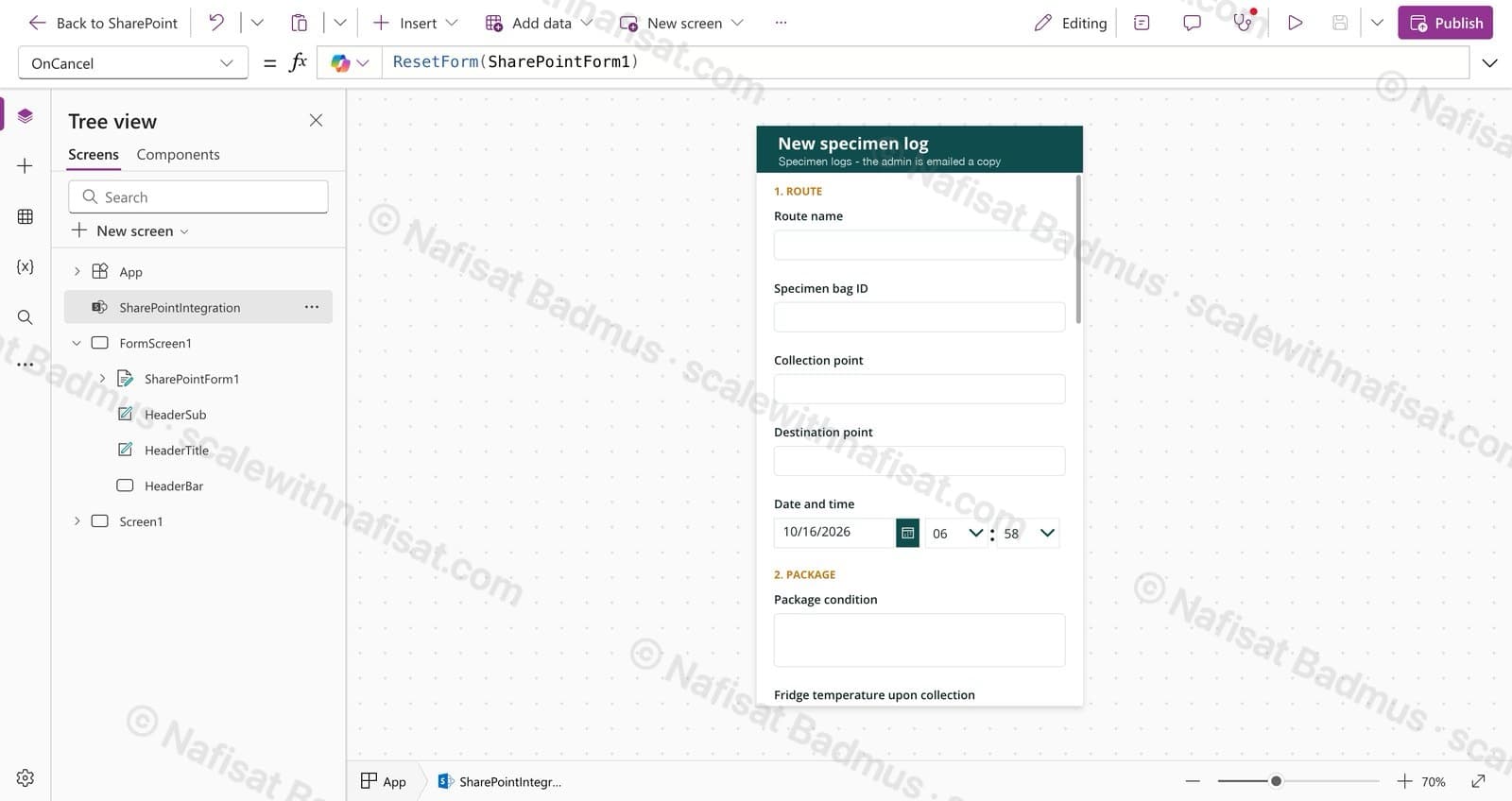
Specimen Collection Log
A mobile-friendly log for drivers moving medical specimens: one form on SharePoint, photo evidence, and an instant email to the admin for every handover.
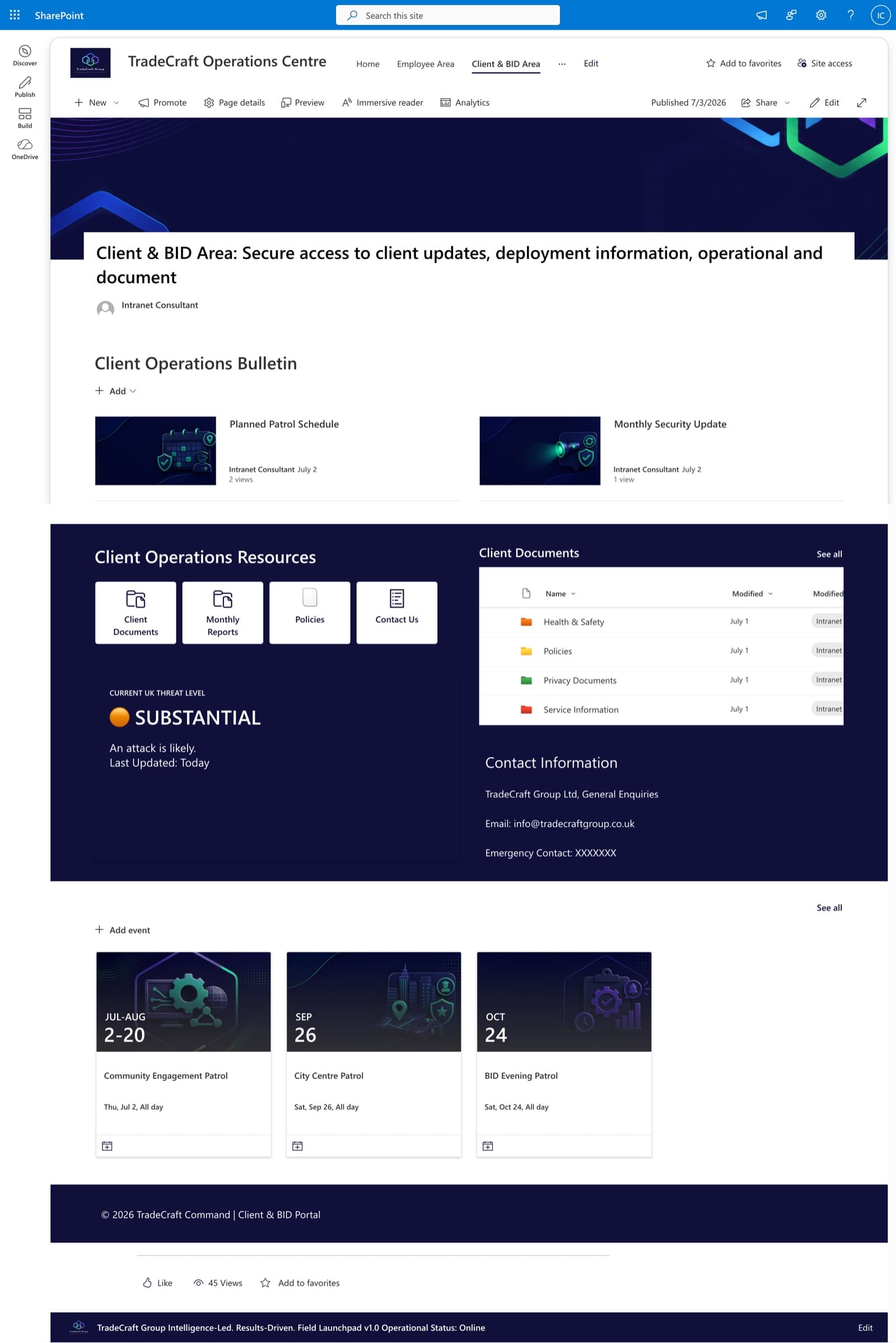
Client & BID Information Centre
A secure client-facing portal with company updates, policies, threat-level reporting, and self-service document access — scoped with granular permissions.
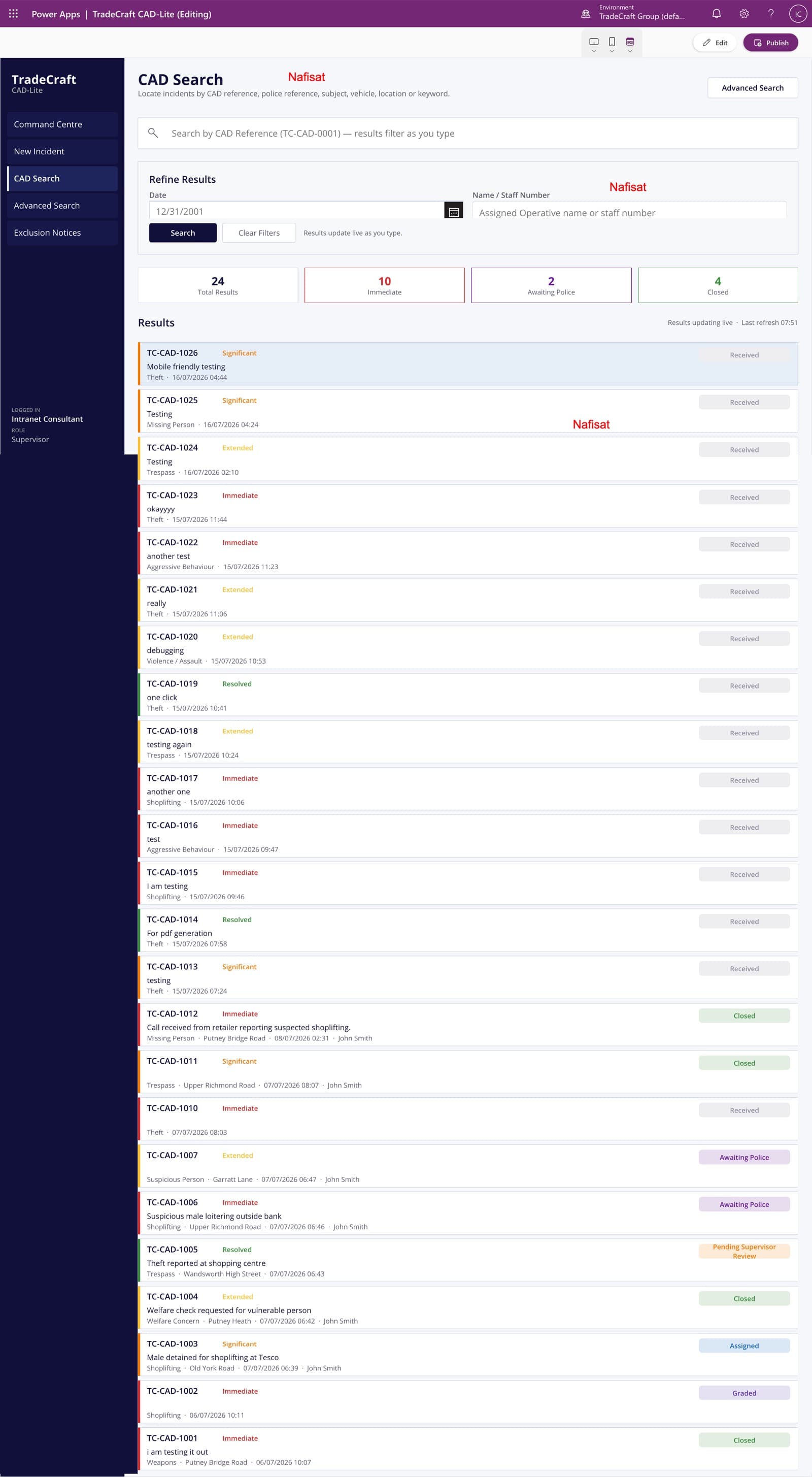
TradeCraft CAD-Lite
A computer-aided dispatch and case management app — incident logging, live search and grading, supervisor approvals, and automated exclusion notices.
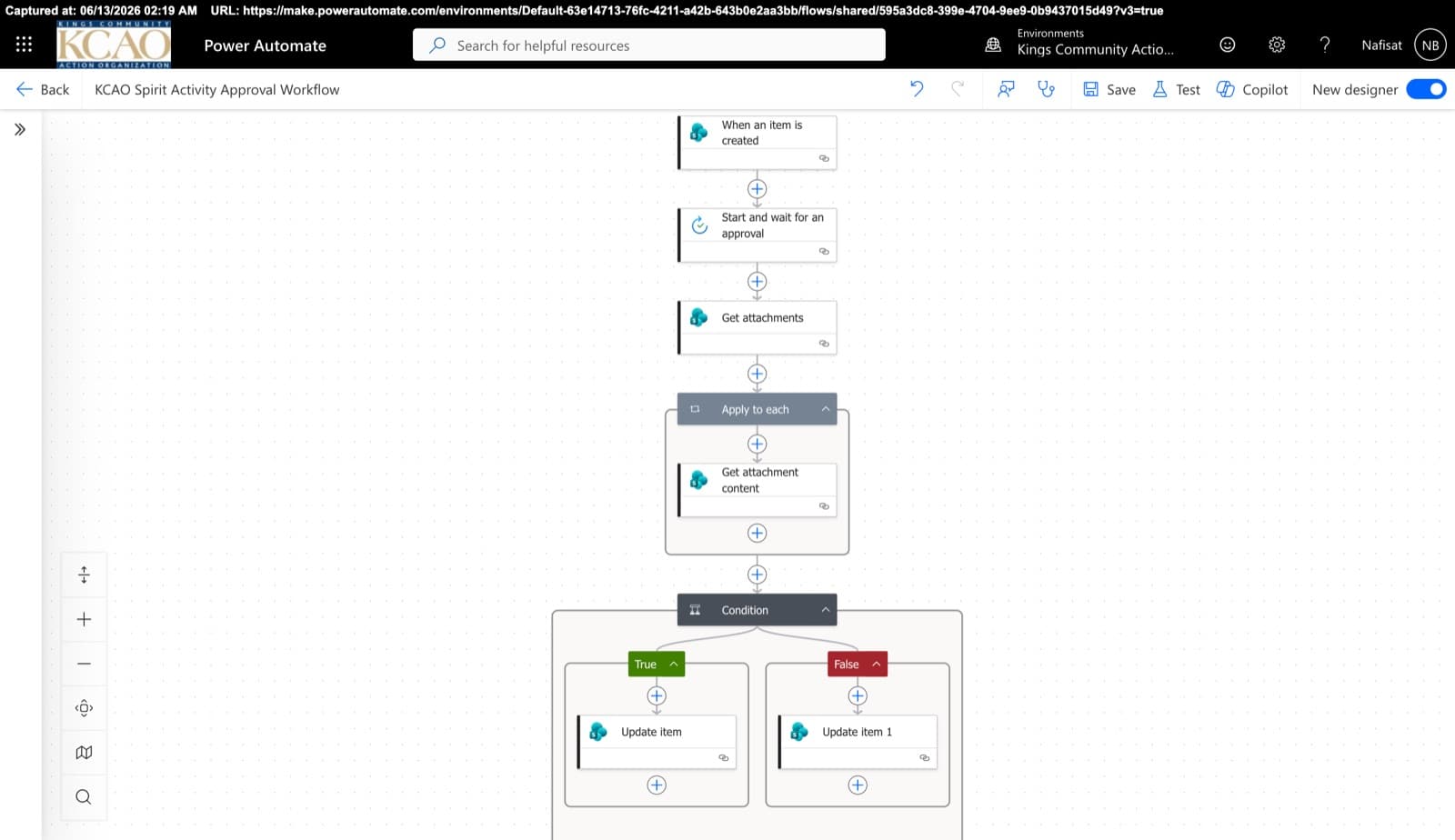
Approvals & Scoring Automation
Automated flows powering the Spirit League and document approvals — attachment handling, multi-stage approvals, and conditional list updates across SharePoint.
Questions
Common questions
What is SharePoint used for in a manufacturing or distribution company?+
Mostly as the single home for documents and processes: product and technical libraries, quality and safety documents with version control, a portal for distributors and customers, and team sites for sales, purchasing and operations. Add Power Apps and Power Automate and it also handles forms, requests and approvals.
Can SharePoint support document control for ISO 9001?+
It can do much of the heavy lifting: version history on every file, an approval step before a new version is published, controlled access, and a record of who changed what and when. Your quality procedures and auditor still decide what ISO 9001 compliance looks like; SharePoint gives you a reliable way to run them.
How long does a setup like this take?+
A focused first phase, such as a product library or a distributor portal, usually takes one to three weeks depending on how many documents need moving. Larger setups are planned in stages so your team can start using the first part quickly.
Can distributors only see the documents meant for them?+
Yes. Distributors and customers get guest access to their portal area only. For larger external audiences, a Power Pages portal is another option, and I'll tell you honestly which fits.
Does this replace our ERP or quality management system?+
No. Your ERP and any dedicated quality system stay in place. Microsoft 365 holds the documents, forms and approvals around them, and Power Automate can often connect the two.
Can shop-floor staff use it without a desk computer?+
Yes. Power Apps forms and SharePoint work on tablets and phones, so staff can complete inspections and requests where the work happens.
How does pricing work?+
Every project is fixed-price, agreed before any work starts, so there are no surprise invoices. After a free 15-minute call I send a clear quote with what's included and the timeline.
Can you work with us remotely?+
Yes. I'm based in Ibadan, Nigeria and work remotely with businesses worldwide. We meet on video calls and I build directly inside your Microsoft 365.
Free download · PDF
The Microsoft 365 Setup Checklist
9 steps to set up SharePoint, permissions and security properly, as a printable tick-box list. Starting fresh or tidying up years of “we'll sort it later”.
Further reading
- Clients Can't Open Your SharePoint Links? What's Changing This Month and How to Fix ItMicrosoft is retiring the one-time codes that let outsiders open SharePoint and OneDrive files. Clients, accountants and contractors without a guest account will start seeing “access denied”. Here's who's affected and the five-minute fix.
- OneDrive vs SharePoint vs Teams: Where Should Your Business Save Files?OneDrive, SharePoint and Teams all store files, so most teams end up using all three at random. Here's a simple rule for what goes where, the one mistake that loses files when people leave, and how to set it up properly.
- Your SharePoint Is 5 Years Old and Nobody Can Find Anything. Here's Why — and How to Fix ItAfter five-plus years on SharePoint, most organisations hit the same wall: thousands of documents, dozens of sites, and staff who've given up on search. It's fixable without a migration — here's the root cause and a staged plan.
- You're Paying for Microsoft 365. Here's What Setting It Up Properly Actually Looks LikeMost businesses use Outlook and Teams and leave the rest of Microsoft 365 untouched. A practical, nine-step checklist for setting it up properly — whether you're starting fresh or have been on it for years.
Want your product information in one place?
Book a free call. We'll look at what you have and what you need.
Book a free call