Power Apps · Case study
Specimen Collection Log
A specimen courier in Johannesburg, South Africa needed a reliable record of every specimen bag its drivers collect and hand over. I built a Power Apps form on a SharePoint list that drivers fill in on their phones, and a Power Automate flow that emails the admin a full summary, with the photos attached, as soon as a log is submitted.
Impact
Every specimen handover is now recorded in one place, with photos, and the admin gets the full details by email the moment a driver submits a log. The client found me through this website, and the project went from first call to delivery within a day.
The challenge
Every specimen bag has to be traceable: which route it was on, where it was collected and delivered, what condition it was in, how cold it was kept and who handed it over. The business needed one dependable place to record this at each collection, and an admin who sees every log straight away instead of chasing drivers for updates.
What I built
Set up a SharePoint list on the company's communication site as the single record of every specimen log, so nothing lives in personal phones, chats or paper notes.
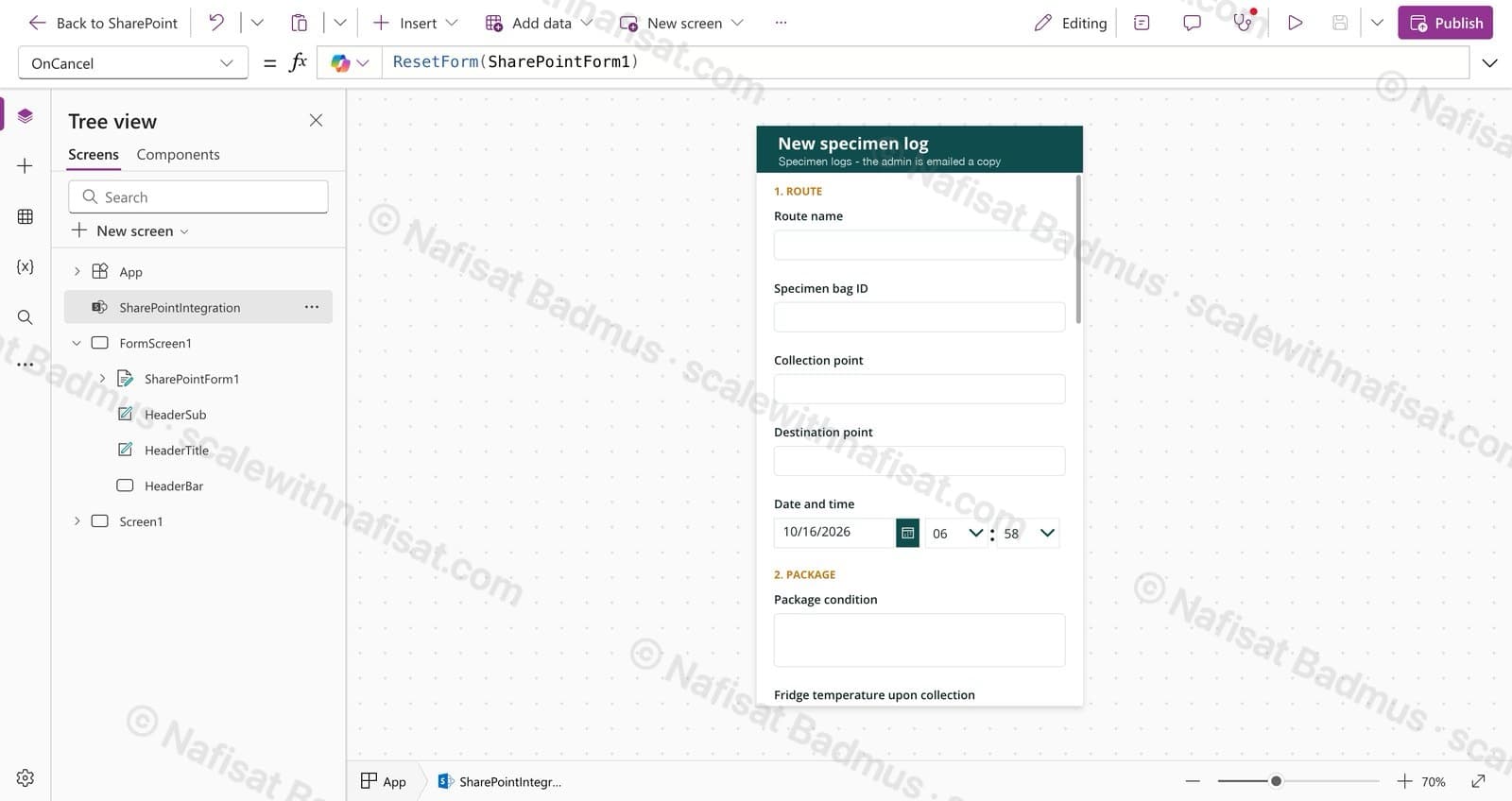
Customised the list's form in Power Apps into a branded 'New specimen log' form, grouped into clear sections (route, package and handover) so drivers can complete it quickly on a phone.
Captured the details that matter for traceability: specimen bag ID, route, collection and destination points, date and time, package condition, fridge temperature at collection, handover GPS location and driver name.
Let drivers attach photos to each log as evidence of the bag and its condition at handover.
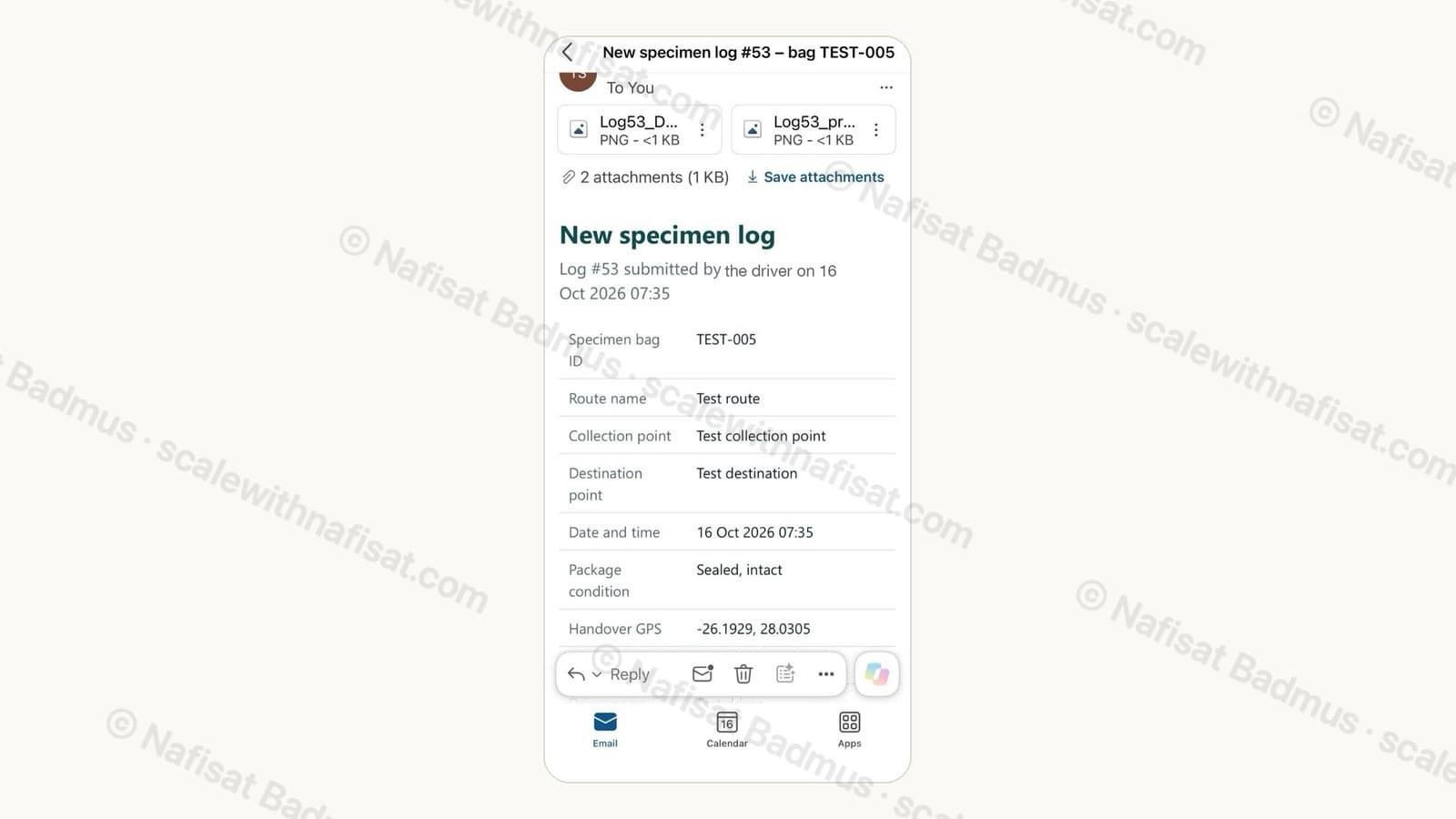
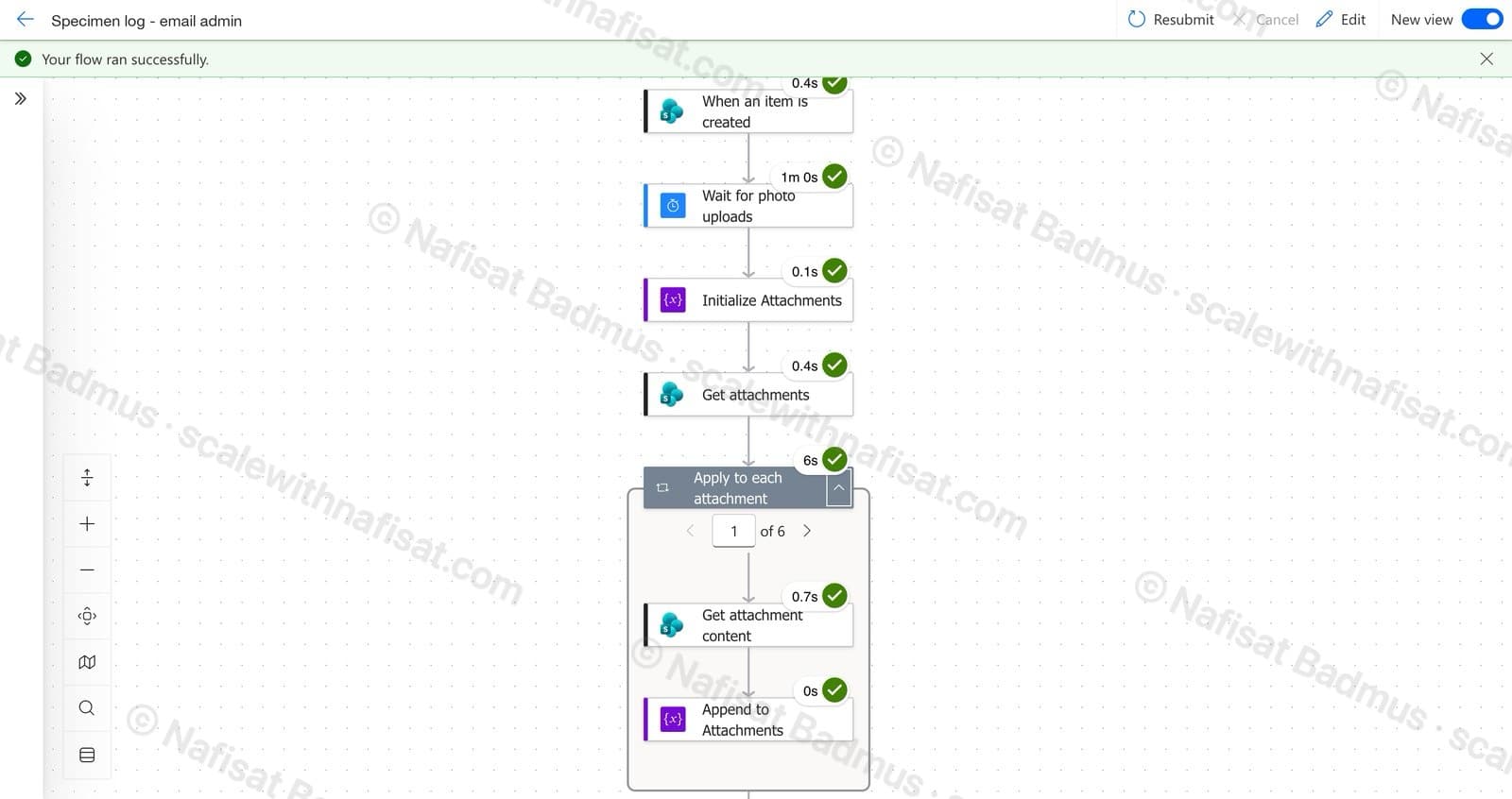
Built a Power Automate flow that runs whenever a new log is created. It waits briefly so every photo has finished uploading, gathers all the attachments, and emails the admin a formatted summary of the log with the photos attached.
Gave the email a clear subject line with the log number and bag ID, so the admin can find any handover in their inbox in seconds.
Tested the full journey end to end, from submitting a log on the form to the email arriving with its photos.
Key features
- —Branded mobile-friendly form
- —Specimen bag traceability
- —Photo evidence attached
- —Handover GPS location
- —Instant admin email
- —Single SharePoint record
Built with
Further reading
- 5 Signs Your Business Has Outgrown Shared Drives (and What to Do About It)Emailing files around, chasing approvals, retyping the same data? Five signs your business has outgrown shared drives and spreadsheets — and how Microsoft 365 fixes each one, fast.
- SharePoint Alerts Stopped Working? Here's How to Get Your Notifications BackMicrosoft retired SharePoint Alerts in 2026, so the “Alert me” emails your team relied on have gone quiet. Here's how to replace them with SharePoint Rules or Power Automate, from a two-minute fix to smarter notifications.