For IT companies & MSPs · White-label or co-branded
Your on-demand SharePoint & Power Platform team
Your clients keep asking for intranets, document clean-ups, approval workflows and simple apps. Hiring a full-time SharePoint developer for a handful of projects rarely makes sense, and turning the work away sends clients elsewhere.
I deliver that work for you: SharePoint, Power Automate and Power Apps, built inside your client's Microsoft 365, under your name or co-branded. You keep the client relationship; I never approach your clients directly.
Sounds familiar?
Signs you need this
- —Clients ask for SharePoint or Power Platform work you don't have the people for.
- —You've had to turn down or delay intranet, workflow or app projects.
- —Your team is great at devices, networks and security, but not SharePoint builds.
- —You need a reliable specialist for overflow work, not another full-time hire.
What you get
What I set up for you
SharePoint intranets and document management
Hub sites, department sites, permissions, metadata and branding, built in your client's tenant.
Power Automate workflows
Approvals, notifications, document routing and integrations between Microsoft 365 apps.
Power Apps
Forms and business apps that replace spreadsheets and paper, on desktop, tablet and phone.
Audits and clean-ups
Copilot Readiness & Findability Audits and restructures for tenants that have grown without a plan.
White-label or co-branded
I work under your brand, or alongside you as your named specialist: whichever you prefer.
Handover your team can use
Documentation, scripts where useful, and a short training session you can reuse with the client.
How it works
Four steps, no surprises
- 01
Discovery
A free call about your goals, your bottlenecks and your existing tenant.
- 02
Design
Site structure, permissions and page layouts agreed before anything is built.
- 03
Build
Delivered in days, inside your own Microsoft 365.
- 04
Launch & train
Rollout, short training for your site owners, and support after go-live.
Examples
Work I've delivered
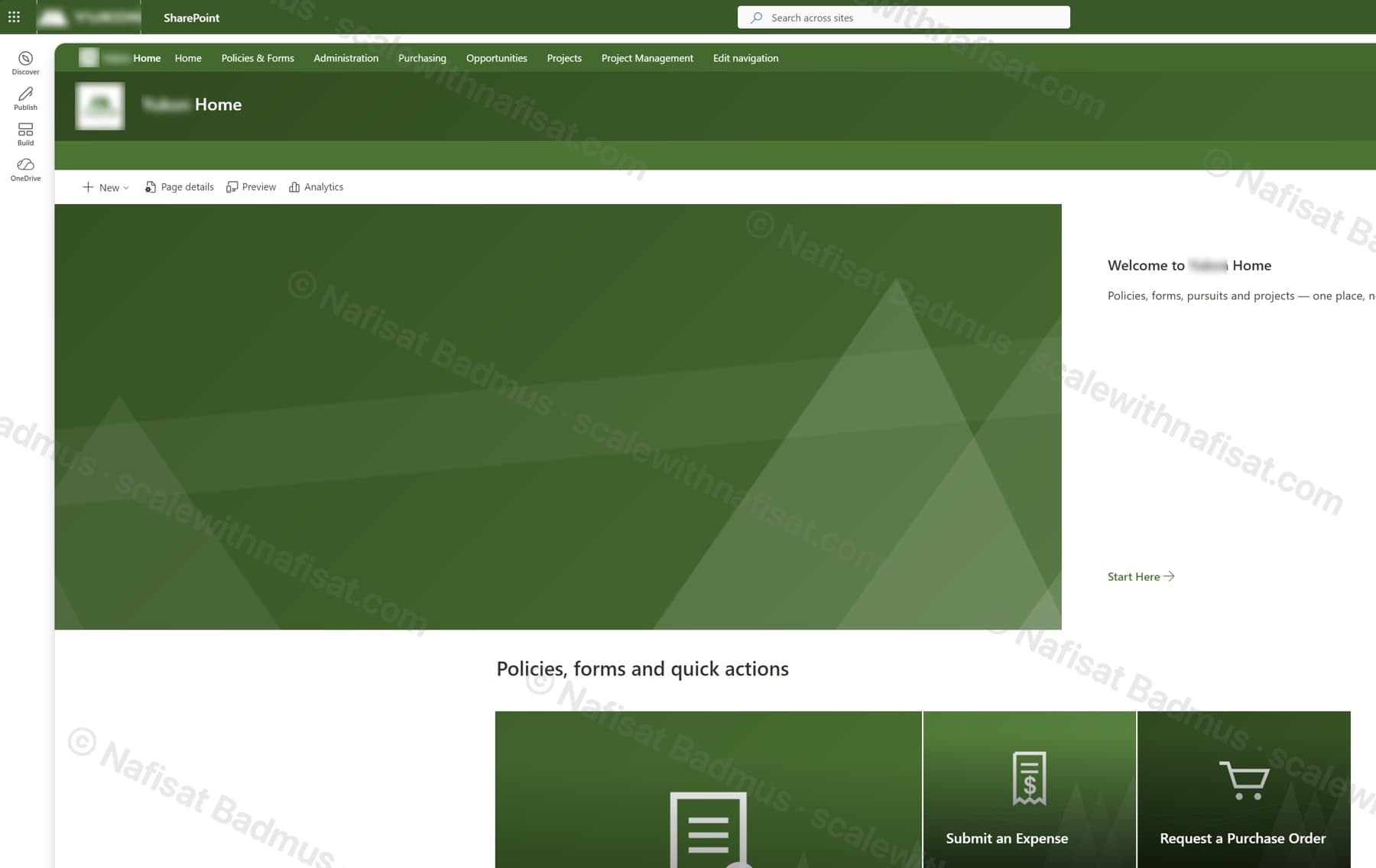
Business-Ready Microsoft 365 Intranet
An untouched Microsoft 365 tenant turned into a branded company intranet — seven sites on one hub, a locked-down records area, sales and project workspaces, all fully scripted.
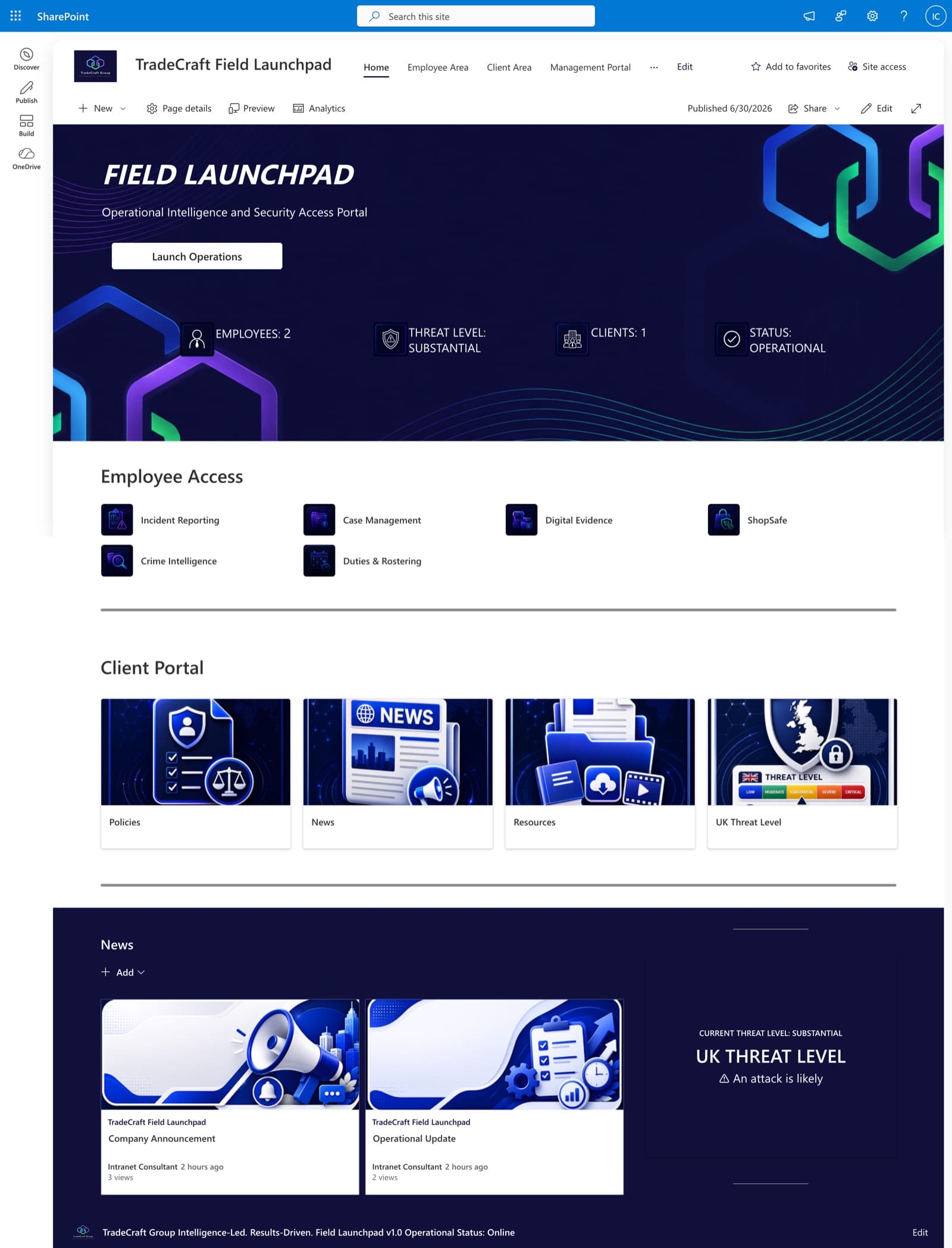
TradeCraft Field Launchpad
A secure operational intranet serving employees, management, and clients — role-based portals, live operational status, and centralized intelligence resources.
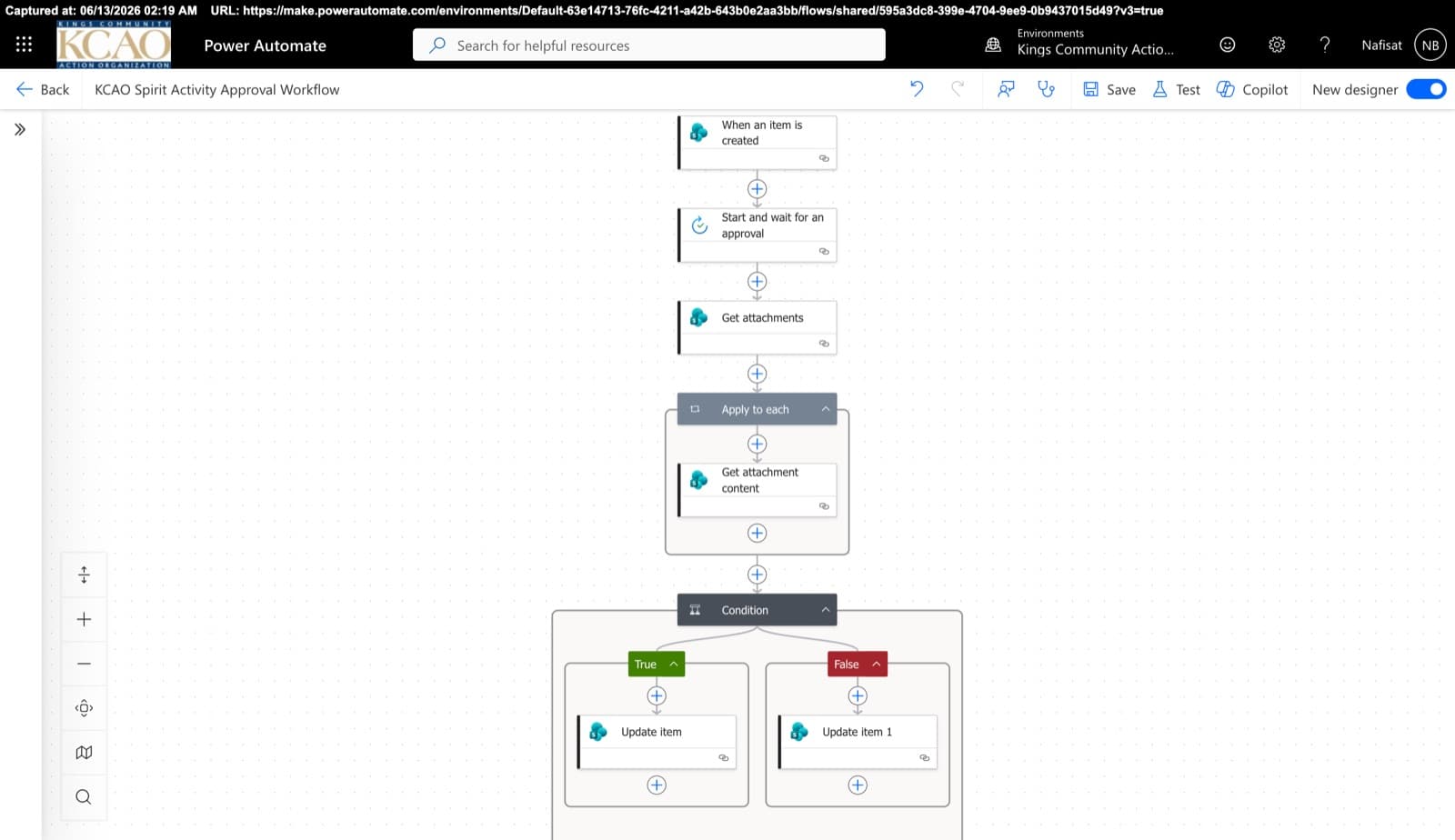
Approvals & Scoring Automation
Automated flows powering the Spirit League and document approvals — attachment handling, multi-stage approvals, and conditional list updates across SharePoint.
Questions
Common questions
Will you contact our clients directly?+
No. The client relationship is yours. I'm happy to put non-solicitation and confidentiality in a written agreement before any work starts.
Can you work under our brand?+
Yes. I can work white-label, using your email domain or guest access you provide, or co-branded as your named SharePoint specialist.
How does pricing work for partners?+
Partner pricing leaves room for your margin: a partner hourly rate or fixed-price packages you can quote with confidence. Book a call and I'll share the details.
What access do you need?+
Only what the project needs, usually a guest account or a time-limited admin role in the client's tenant, set up by your team.
Which time zones do you cover?+
I'm based in Ibadan, Nigeria (West Africa Time, UTC+1), which overlaps the full UK and European working day and the morning in North America.
Free download · PDF
The Microsoft 365 Setup Checklist
9 steps to set up SharePoint, permissions and security properly, as a printable tick-box list. Starting fresh or tidying up years of “we'll sort it later”.
Further reading
- Your SharePoint Is 5 Years Old and Nobody Can Find Anything. Here's Why — and How to Fix ItAfter five-plus years on SharePoint, most organisations hit the same wall: thousands of documents, dozens of sites, and staff who've given up on search. It's fixable without a migration — here's the root cause and a staged plan.
- Clients Can't Open Your SharePoint Links? What's Changing This Month and How to Fix ItMicrosoft is retiring the one-time codes that let outsiders open SharePoint and OneDrive files. Clients, accountants and contractors without a guest account will start seeing “access denied”. Here's who's affected and the five-minute fix.
Need a SharePoint specialist for your clients?
Book a free call. We'll look at what you have and what you need.
Book a free call