Service · SharePoint Online
A SharePoint intranet your team will actually use
You already pay for SharePoint with Microsoft 365. I turn it into one place where your team finds policies, forms, news and documents, with the right people seeing the right things.
I've delivered 60+ SharePoint projects for businesses worldwide, from HR hubs and client portals to complete company intranets built on an untouched tenant.
Sounds familiar?
Signs you need this
- —Files live in email attachments, shared drives and personal OneDrives, and nobody knows which copy is current.
- —Every Teams team has created a SharePoint site, and nobody knows which one is the real one.
- —Staff ask HR or admin the same questions every week because there is nowhere to point them.
- —You're not sure who can see your contracts, HR files or board papers.
- —You set up Microsoft 365 but SharePoint is still the default, empty starter site.
What you get
What I set up for you
A planned site structure
One home site for the whole company and a site for each part of the business, joined by a hub so everything shares one menu and one look.
A home page that answers questions
Quick links to the tasks people do every week, the latest policies and forms, company news, and a start-here page for new joiners.
Permissions by group
Named owner and member groups instead of person-by-person access, a locked-down area for sensitive files, and at least two owners on every site.
Libraries people can search
Metadata columns and saved views instead of folders inside folders, so a document can be found by client, type, status or year.
Your brand throughout
Your colours, logo and header images on every site, plus a branded sign-in page and Microsoft 365 top bar.
Handover and training
A short training session, a written record of the sites, owners and groups, and support after go-live.
How it works
Four steps, no surprises
- 01
Discovery
A free call about your goals, your bottlenecks and your existing tenant.
- 02
Design
Site structure, permissions and page layouts agreed before anything is built.
- 03
Build
Delivered in days, inside your own Microsoft 365.
- 04
Launch & train
Rollout, short training for your site owners, and support after go-live.
Examples
Intranets I've built
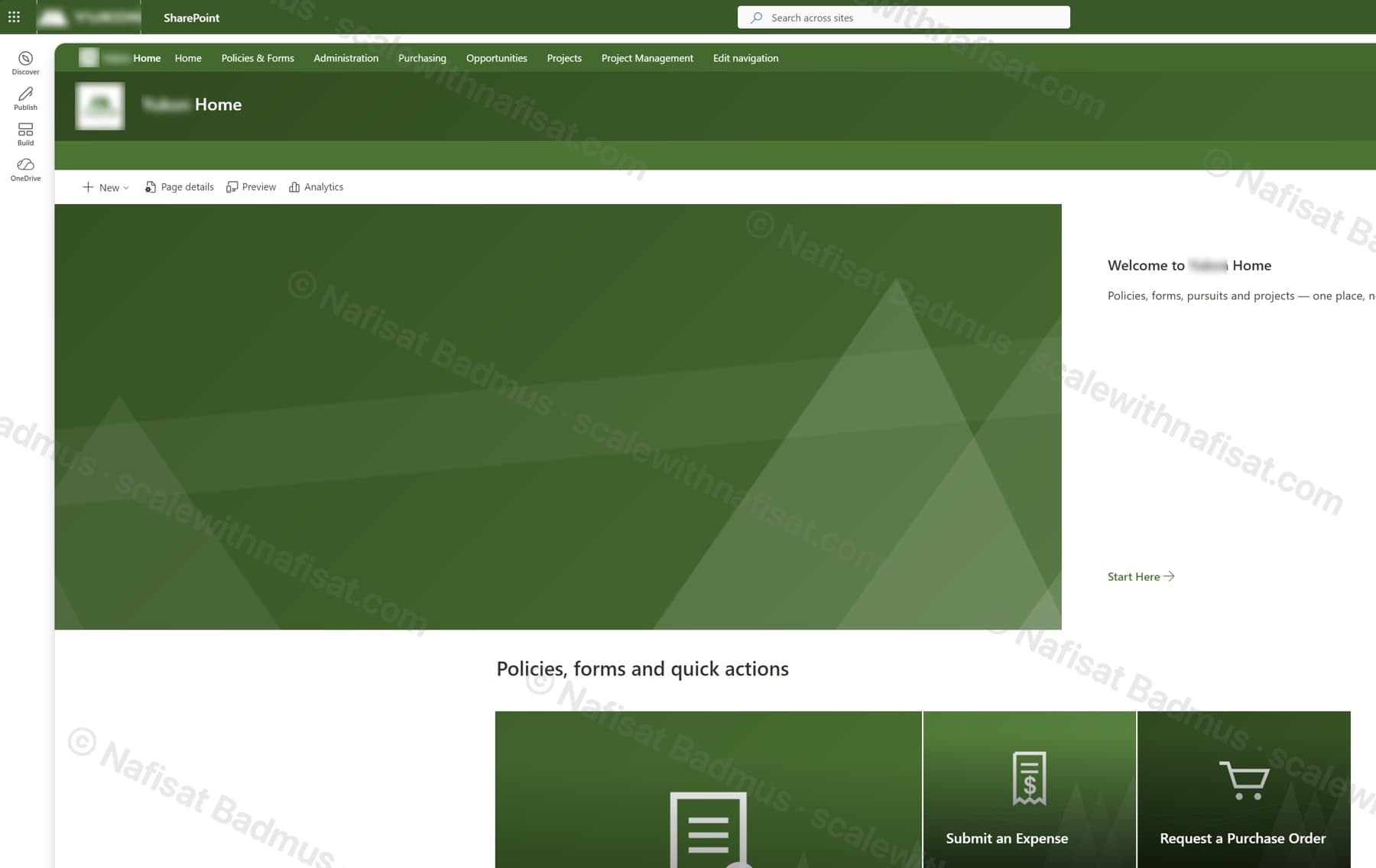
Business-Ready Microsoft 365 Intranet
An untouched Microsoft 365 tenant turned into a branded company intranet — seven sites on one hub, a locked-down records area, sales and project workspaces, all fully scripted.
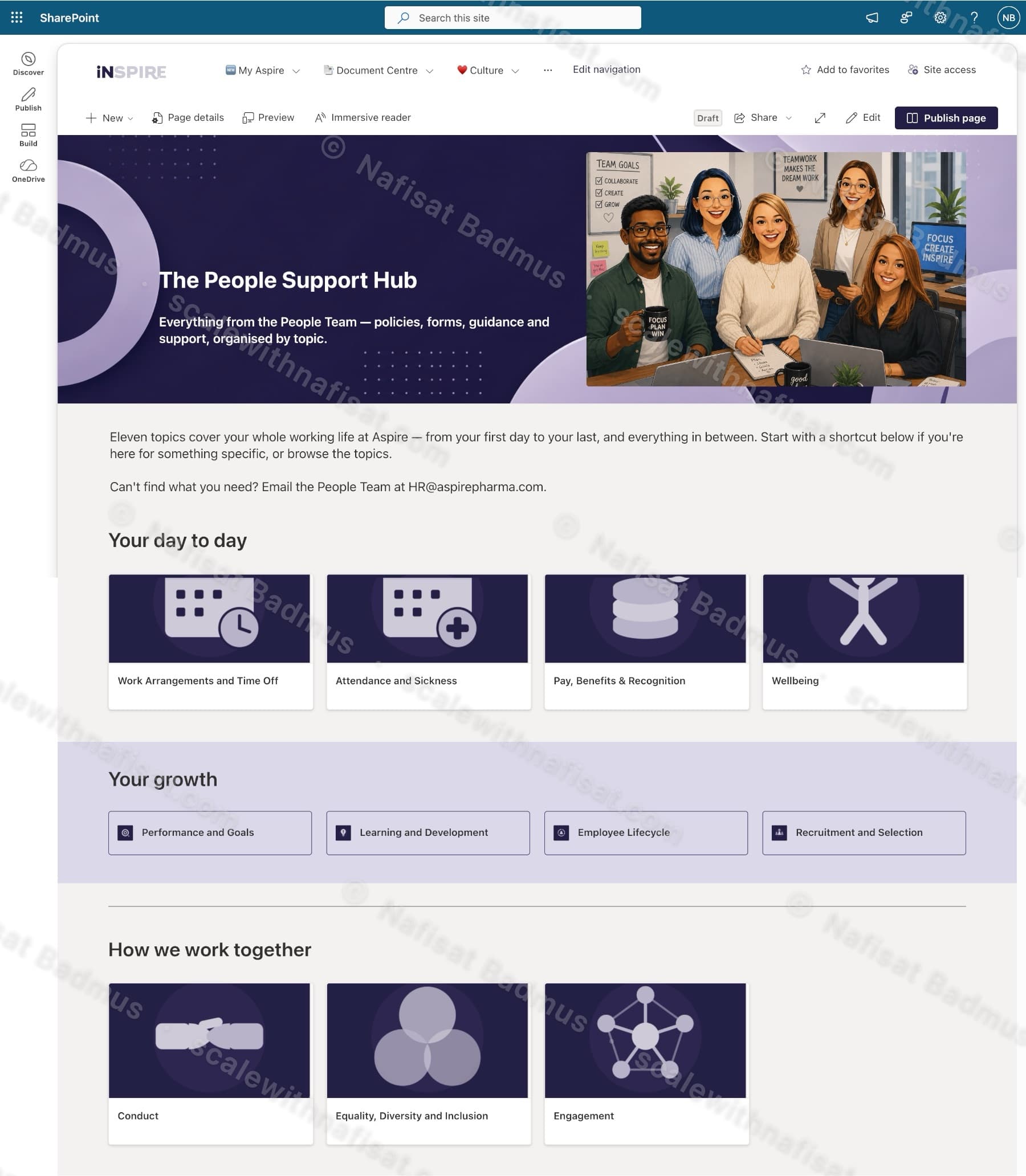
The People Support Hub
An HR knowledge hub for a pharmaceutical company — eleven policy topics, quick-access shortcuts, news, values awards, and a People Team directory in one branded SharePoint site.
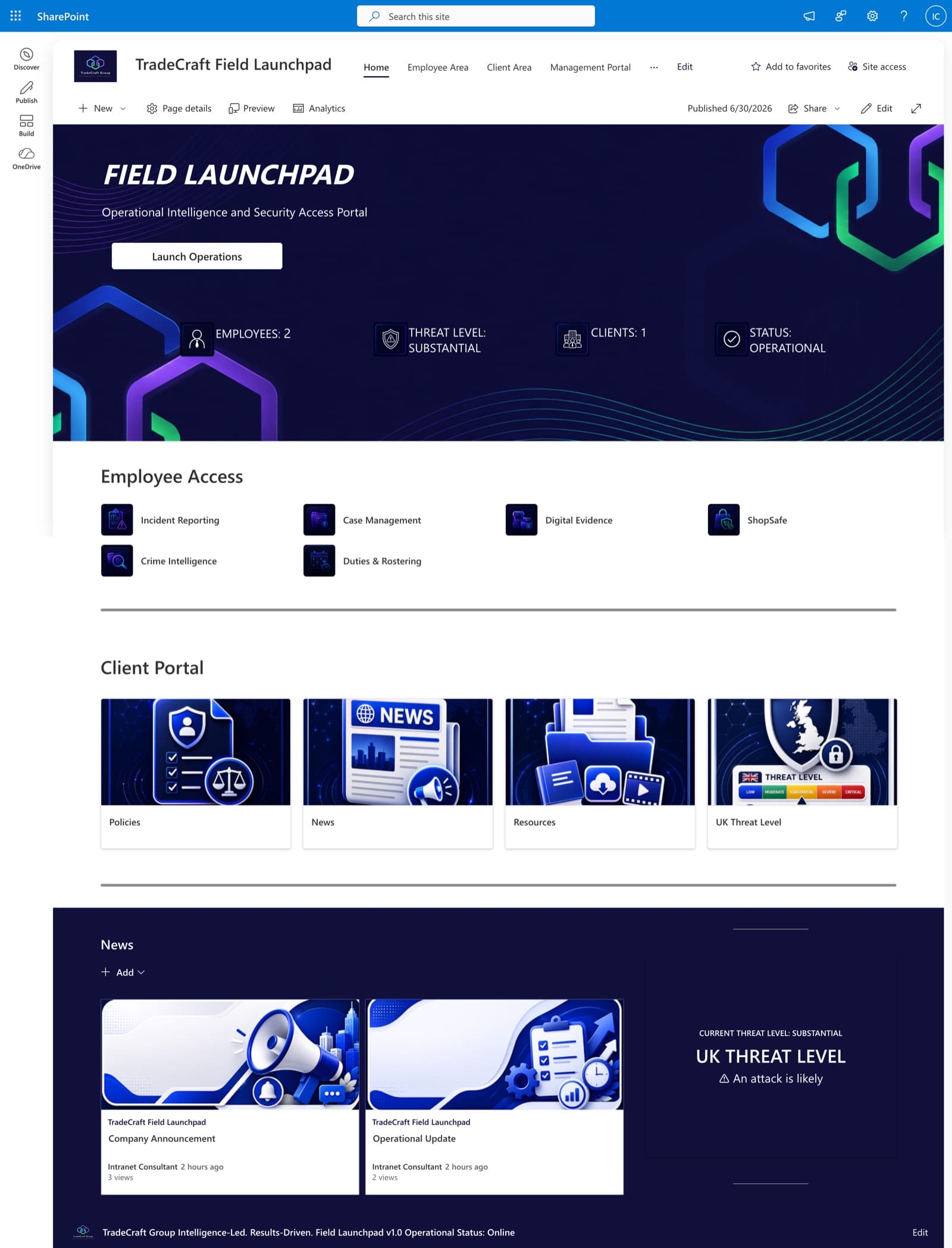
TradeCraft Field Launchpad
A secure operational intranet serving employees, management, and clients — role-based portals, live operational status, and centralized intelligence resources.
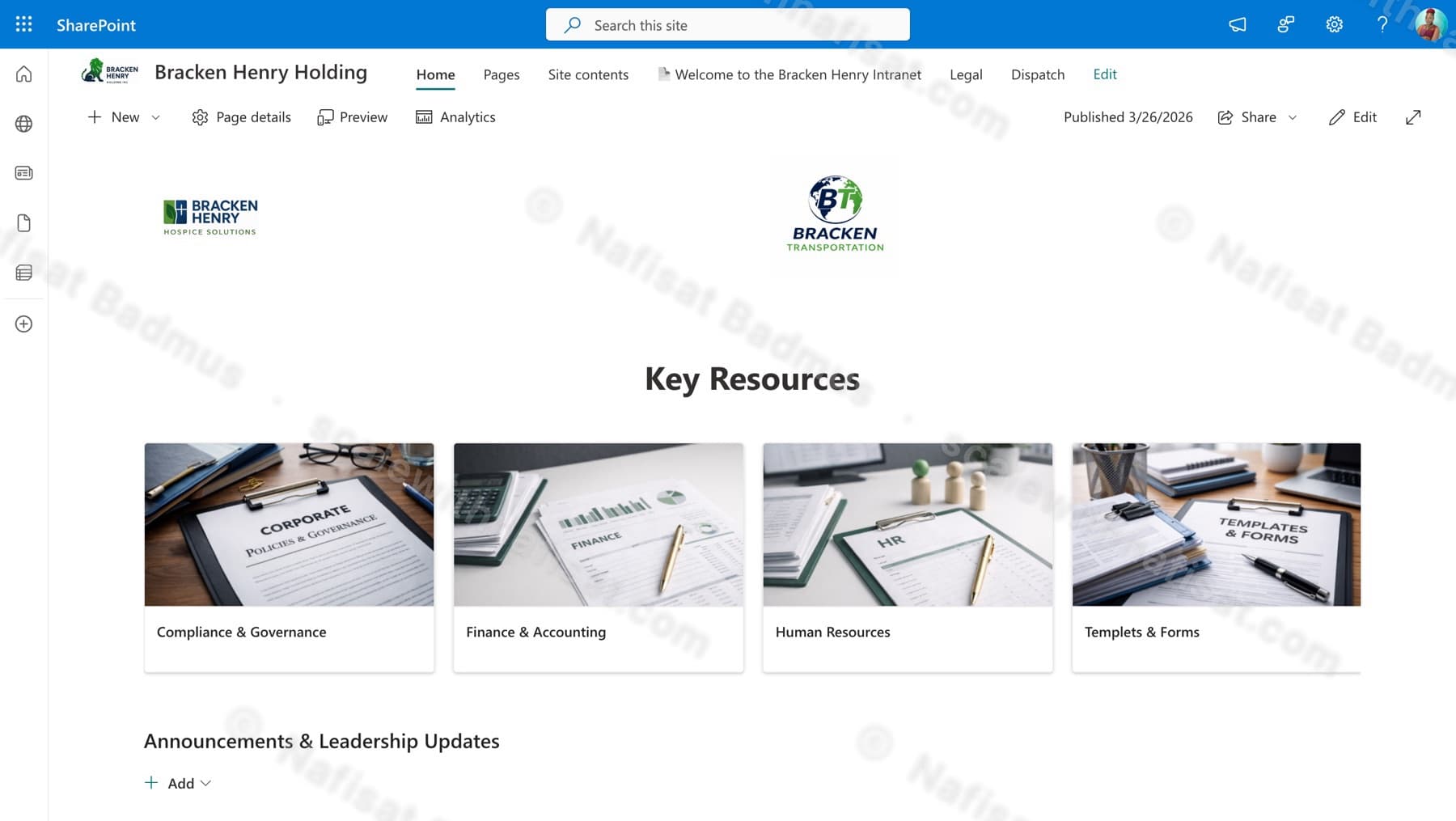
Bracken Henry Holding Intranet
A corporate intranet for a holding company spanning hospice and transportation businesses — key resource libraries, leadership announcements, and subsidiary-specific areas.
Questions
Common questions
How long does a SharePoint intranet take to build?+
Most SharePoint projects take 3–5 days of build time, depending on how many sites, departments and custom features you need. Larger intranets are delivered in stages. You get a timeline after the first call.
Do we need to buy anything extra?+
Usually not. SharePoint Online is included in most Microsoft 365 business plans, including Business Basic, Standard and Premium. I build inside the subscription you already have.
We already have SharePoint sites. Can you fix them instead of starting again?+
Yes. I can restructure existing sites, connect them to a hub, clean up permissions and replace deep folder trees with metadata, without losing your files. For older, cluttered tenants, the Copilot Readiness & Findability Audit is a good first step.
Can you work with us remotely?+
Yes. I'm based in Ibadan, Nigeria and work remotely with businesses worldwide. We meet on video calls and I build directly inside your Microsoft 365.
What happens after launch?+
You get a short training session for your site owners, a written record of what was built, and support after go-live. Ongoing support and changes can be arranged as needed.
Free download · PDF
The Microsoft 365 Setup Checklist
9 steps to set up SharePoint, permissions and security properly, as a printable tick-box list. Starting fresh or tidying up years of “we'll sort it later”.
Further reading
- You're Paying for Microsoft 365. Here's What Setting It Up Properly Actually Looks LikeMost businesses use Outlook and Teams and leave the rest of Microsoft 365 untouched. A practical, nine-step checklist for setting it up properly — whether you're starting fresh or have been on it for years.
- 5 Signs Your Business Has Outgrown Shared Drives (and What to Do About It)Emailing files around, chasing approvals, retyping the same data? Five signs your business has outgrown shared drives and spreadsheets — and how Microsoft 365 fixes each one, fast.
- Your SharePoint Is 5 Years Old and Nobody Can Find Anything. Here's Why — and How to Fix ItAfter five-plus years on SharePoint, most organisations hit the same wall: thousands of documents, dozens of sites, and staff who've given up on search. It's fixable without a migration — here's the root cause and a staged plan.
Ready for an intranet your team will use?
Book a free call. We'll look at what you have and what you need.
Book a free call