SharePoint Online · Case study
Business-Ready Microsoft 365 Intranet
A Houston technology services company had Microsoft 365 but nothing set up. I built a seven-site SharePoint intranet with metadata, permissions and a restricted records site, branded Microsoft 365 end to end, and scripted the whole build so it can be rebuilt or reused.
Impact
Took the company from an untouched Microsoft 365 tenant to a branded, organised intranet — staff can find things, and the IT lead can maintain it or rebuild it from the scripts. 54 of 59 automated checks passed at handover, with the remaining 5 waiting on the client's sign-off.
The challenge
The company had the default blue Microsoft 365 bar, the standard sign-in page and an empty SharePoint. There were no company sites, no columns to tag or sort documents by, no permission groups or restricted area, and nowhere to keep sales pursuits or project files.
What I built
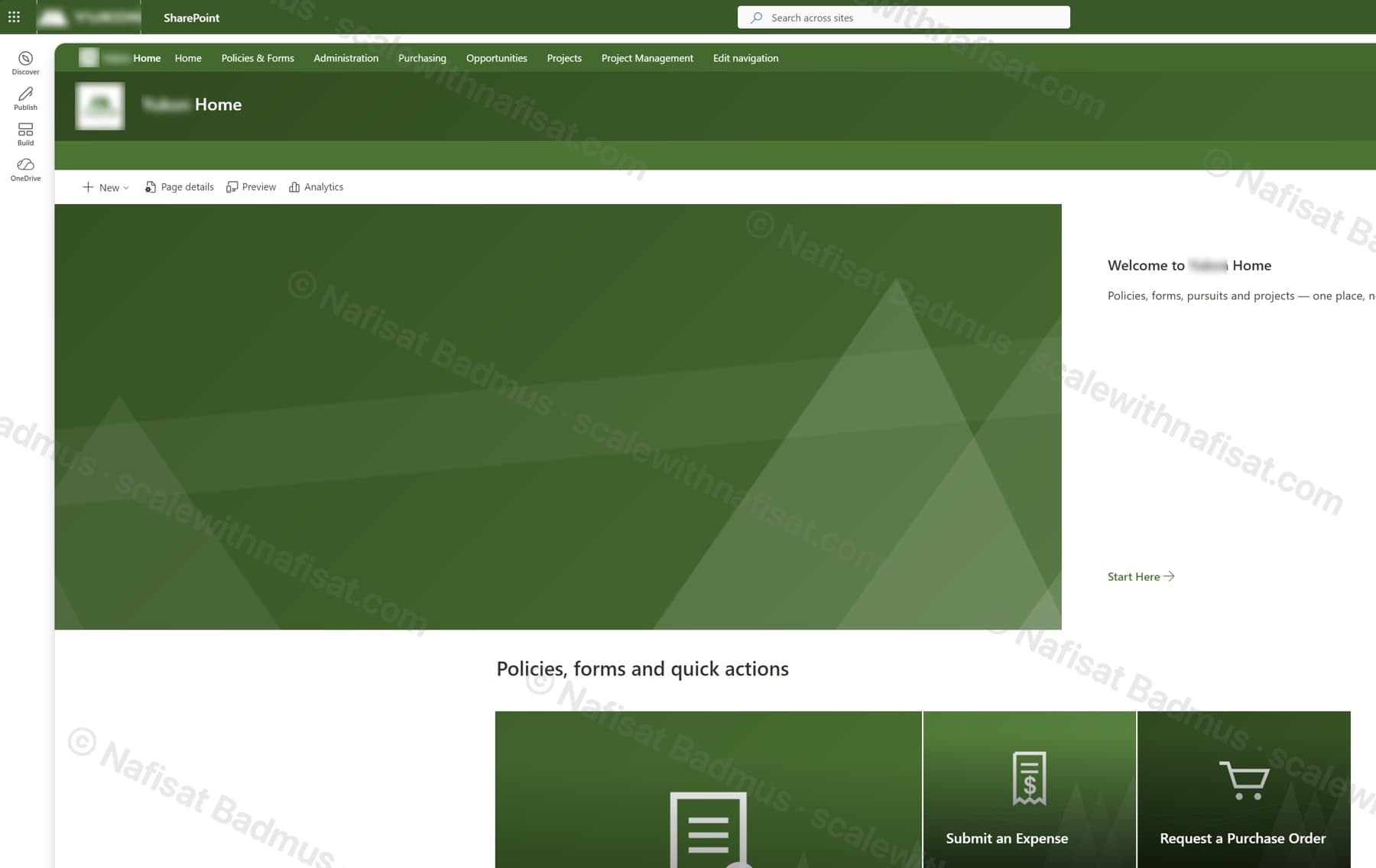
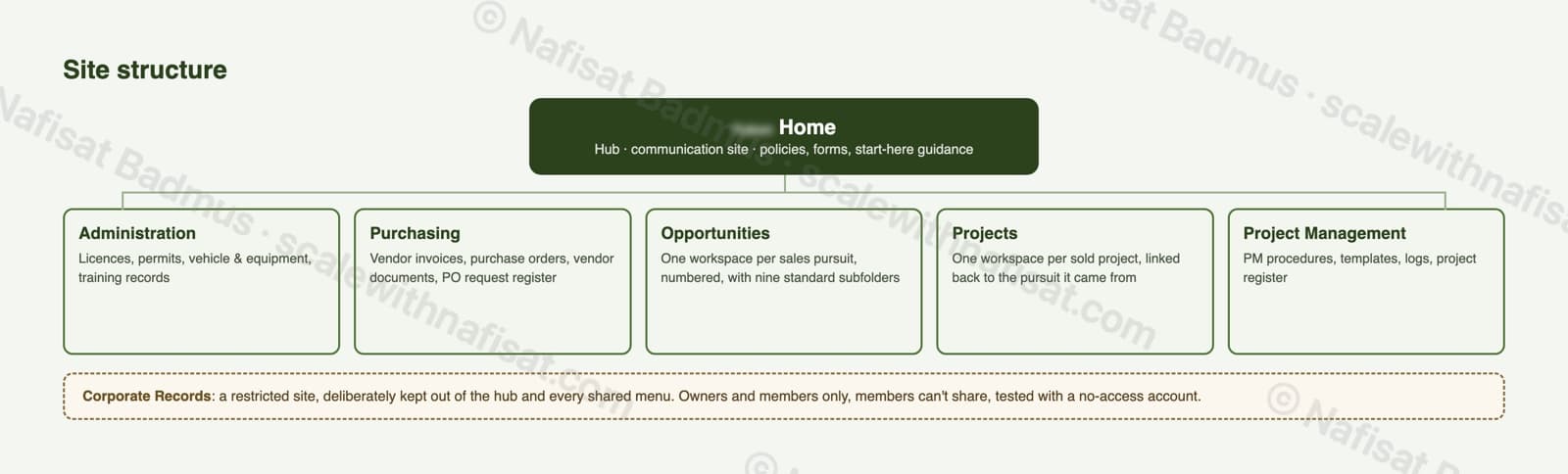
Built an intranet of seven sites on one hub. The home site holds company policies, forms and a 'start here' guide; Administration, Purchasing, Opportunities, Projects and Project Management sit under it with one shared menu and one look.
Set up a locked-down Corporate Records site for contracts, insurance and governance papers — kept out of the hub and every shared menu, owners and members only, members can't share, and tested with a no-access account.
Gave every sales pursuit and every sold project its own numbered workspace with nine standard subfolders, with each project linked back to the pursuit it came from.
Added 36 metadata columns (22 shared across all sites with fixed IDs so they won't clash later), named views on every library — open pursuits, active projects, a bid calendar, invoices by vendor — and card-style layouts with JSON view formatting.
Created 21 permission groups with a clear naming pattern, with 'Everyone' not used anywhere.
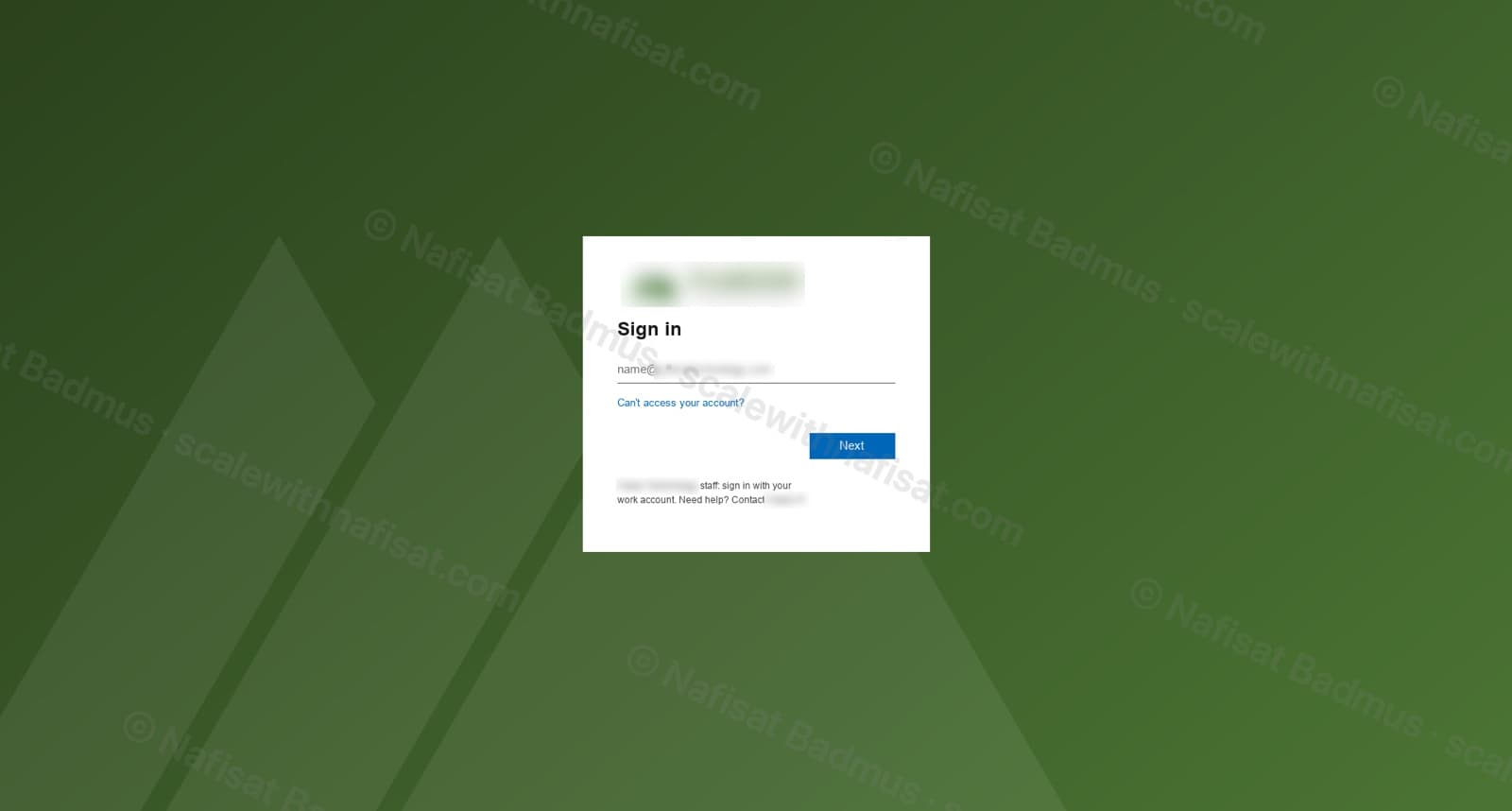
Branded Microsoft 365 end to end: a company sign-in page built from the logo, the top bar recoloured to the company green across Outlook, SharePoint and the other apps, and a logo-based theme, site logos, header artwork and tile images on every site.
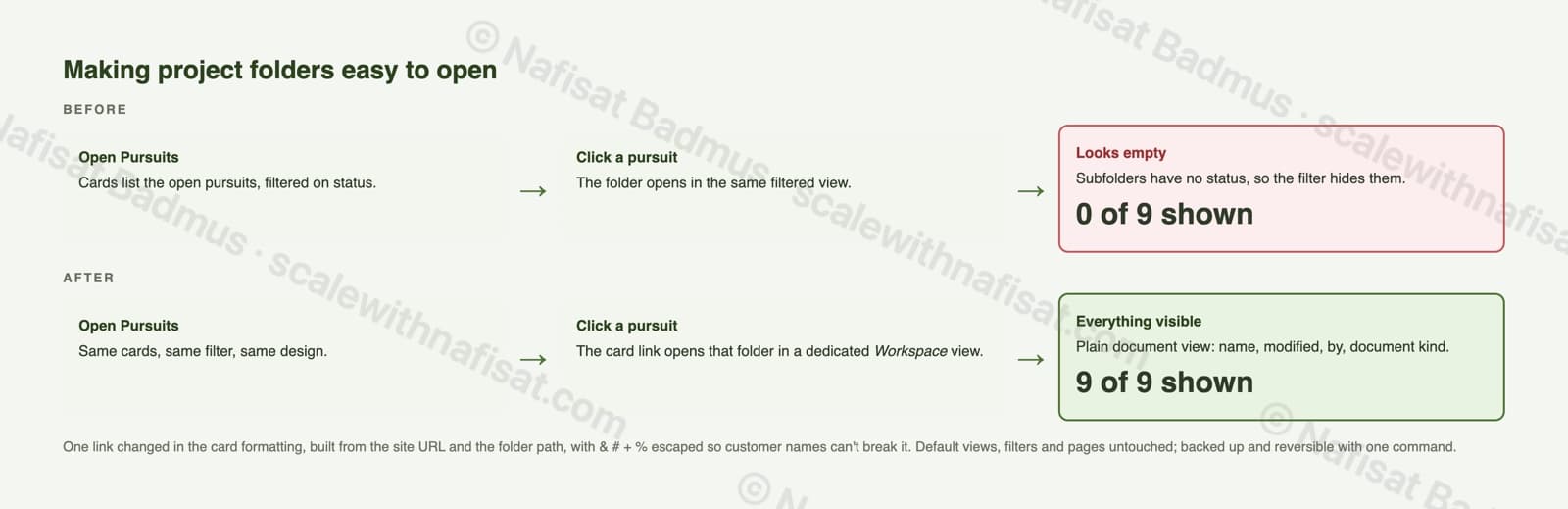
Fixed project folders that looked empty when opened from the filtered card lists, by pointing each card at a dedicated 'Workspace' view — one click now opens the folder with everything showing, with the lists, filters and pages unchanged.
Scripted the whole build as numbered, re-runnable PnP PowerShell scripts. Every change had a dry run, a backup, a log entry and a one-command undo, and the handover included a 299-row build book, a provisioning export and a dated build log.

Key features
- —Seven-site hub intranet
- —Restricted records site
- —Pursuit & project workspaces
- —36 metadata columns & named views
- —21 permission groups
- —Branded sign-in page & top bar
- —Fully scripted, re-runnable build
Built with
Further reading
- You're Paying for Microsoft 365. Here's What Setting It Up Properly Actually Looks LikeMost businesses use Outlook and Teams and leave the rest of Microsoft 365 untouched. A practical, nine-step checklist for setting it up properly — whether you're starting fresh or have been on it for years.
- Your SharePoint Is 5 Years Old and Nobody Can Find Anything. Here's Why — and How to Fix ItAfter five-plus years on SharePoint, most organisations hit the same wall: thousands of documents, dozens of sites, and staff who've given up on search. It's fixable without a migration — here's the root cause and a staged plan.