SharePoint Online · HR Intranet · Case study
The People Support Hub
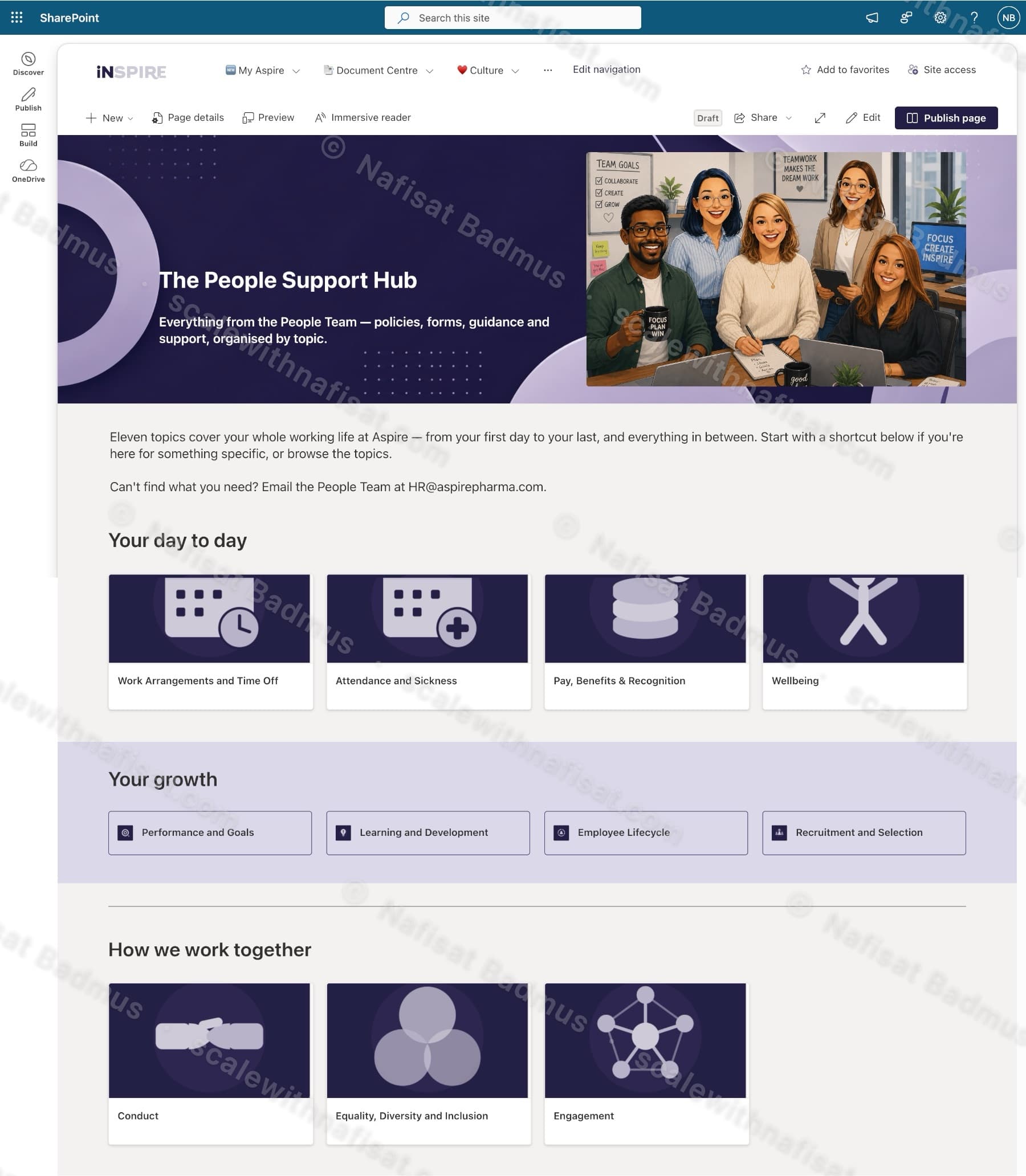
A branded SharePoint Online HR hub for a pharmaceutical company, organising policies, forms and guidance into eleven topic areas with quick links, a news feed, values awards and a People Team directory.
Impact
Gives every employee a single, organised front door to HR — policies, forms and guidance grouped by topic instead of buried in document libraries.
The challenge
The People Team's policies, forms and guidance were spread across documents that staff struggled to find. The company wanted one clearly organised place where an employee could reach the right policy — from first day to last — without emailing HR.
What I built
Structured the hub around eleven topic areas grouped by how employees think — 'Your day to day', 'Your growth' and 'How we work together' — instead of by HR department.
Designed a branded hero, custom tile imagery and a colour system matching the company's internal 'iNSPIRE' brand, with quick-link buttons for the most common tasks (FAQs, update your details, training, contact HR).
Added a 'What's new' news feed for people-team announcements, a values carousel, quarterly values-award galleries and a People Team contact directory.
Built a branded landing page for each topic (e.g. Attendance & Sickness) with a plain-English introduction, the linked policy documents as tiles, and a direct line to the People Team — so staff land on context, not a bare document library.
Key features
- —11 policy topic areas
- —Quick-link task shortcuts
- —People-team news feed
- —Values & awards showcase
- —Custom branded tile design
Built with
Further reading
- Your SharePoint Is 5 Years Old and Nobody Can Find Anything. Here's Why — and How to Fix ItAfter five-plus years on SharePoint, most organisations hit the same wall: thousands of documents, dozens of sites, and staff who've given up on search. It's fixable without a migration — here's the root cause and a staged plan.
- You're Paying for Microsoft 365. Here's What Setting It Up Properly Actually Looks LikeMost businesses use Outlook and Teams and leave the rest of Microsoft 365 untouched. A practical, nine-step checklist for setting it up properly — whether you're starting fresh or have been on it for years.