Service · Power Automate
Approvals and routine tasks that run themselves
Power Automate is already in most Microsoft 365 plans. I use it to take the chasing, copying and re-typing out of your week: requests go to the right person, decisions are recorded, and everyone is told what happened.
I've built 90+ Power Automate workflows, around 50 of them approval flows, working across SharePoint, Teams, Outlook and Forms.
Sounds familiar?
Signs you need this
- —Approvals happen in email threads, and you can't tell what was approved, by whom or when.
- —Someone copies information from a form or email into a spreadsheet by hand every day.
- —Requests stall because the approver is busy or on leave and nobody is reminded.
- —New starters, leave requests or purchase orders follow a different route every time.
- —You find out a document expired or a deadline passed only after it caused a problem.
What you get
What I set up for you
Approval workflows
Single or multi-stage approvals for purchases, leave, documents and contracts, with approve and reject paths and a record of every decision.
Notifications that reach people
Messages in Microsoft Teams and Outlook at each step, plus reminders when something is waiting too long.
Forms straight into lists
Microsoft Forms and Power Apps submissions saved to SharePoint lists automatically, with attachments filed in the right library.
Documents created for you
Letters, notices and records generated from your templates and saved in the right place, ready to send.
Scheduled checks
Flows that run daily or weekly to flag expiring documents, overdue items or missing information.
Documented and handed over
Each flow is named, explained and shared with a second owner, so it keeps working when people change roles.
How it works
Four steps, no surprises
- 01
Discovery
A free call about your goals, your bottlenecks and your existing tenant.
- 02
Design
Site structure, permissions and page layouts agreed before anything is built.
- 03
Build
Delivered in days, inside your own Microsoft 365.
- 04
Launch & train
Rollout, short training for your site owners, and support after go-live.
Examples
Automation I've built
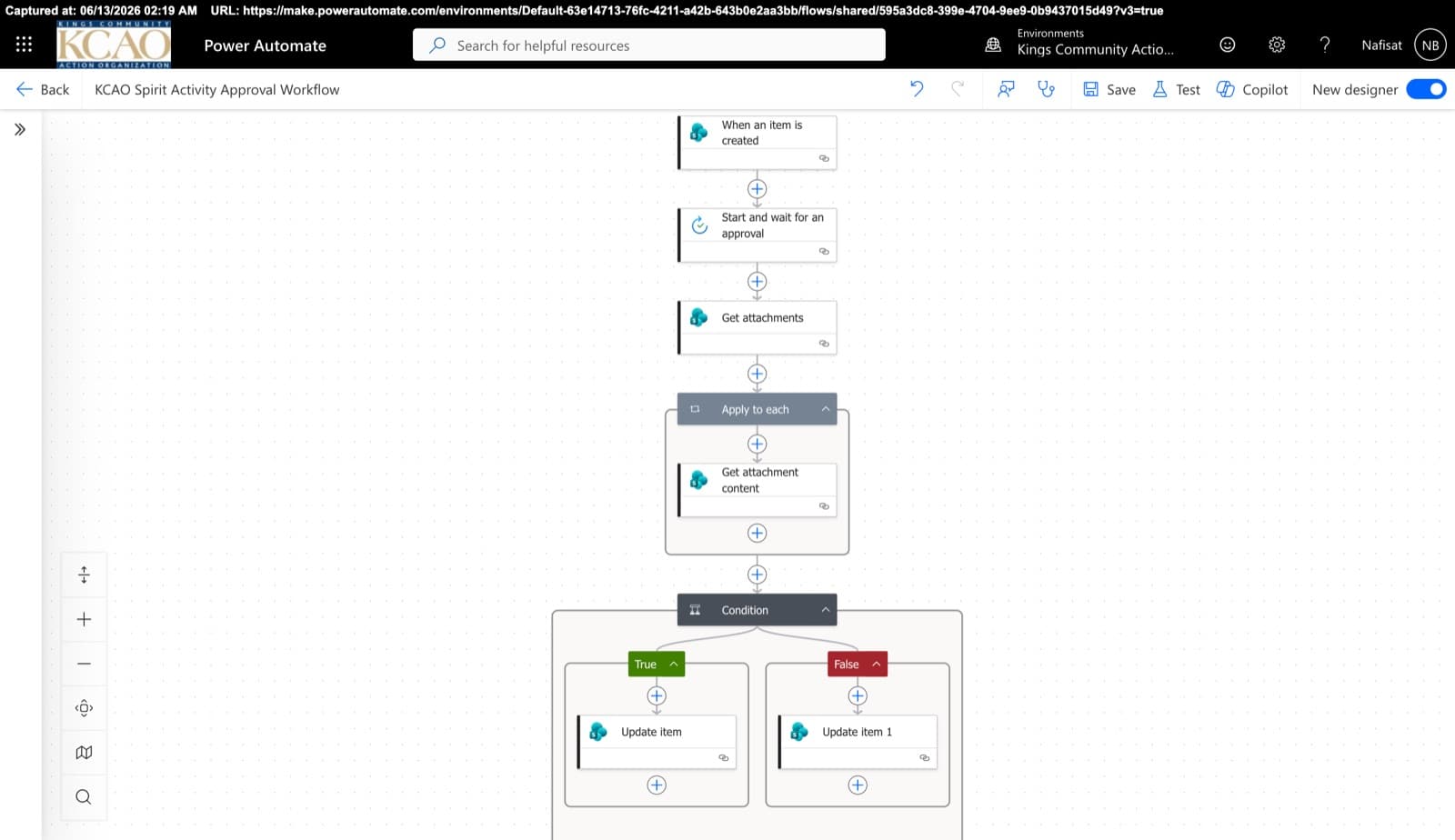
Approvals & Scoring Automation
Automated flows powering the Spirit League and document approvals — attachment handling, multi-stage approvals, and conditional list updates across SharePoint.
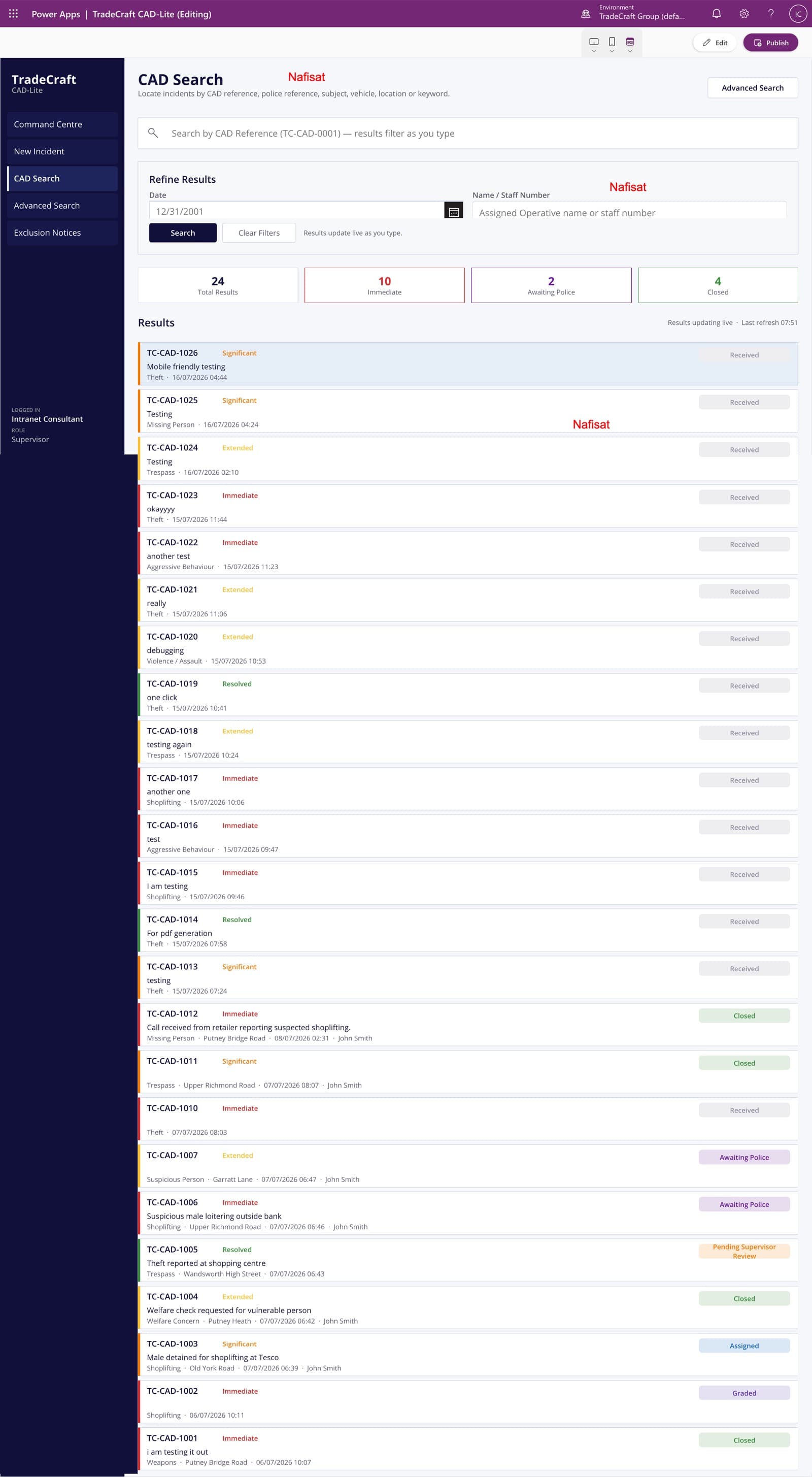
TradeCraft CAD-Lite
A computer-aided dispatch and case management app — incident logging, live search and grading, supervisor approvals, and automated exclusion notices.
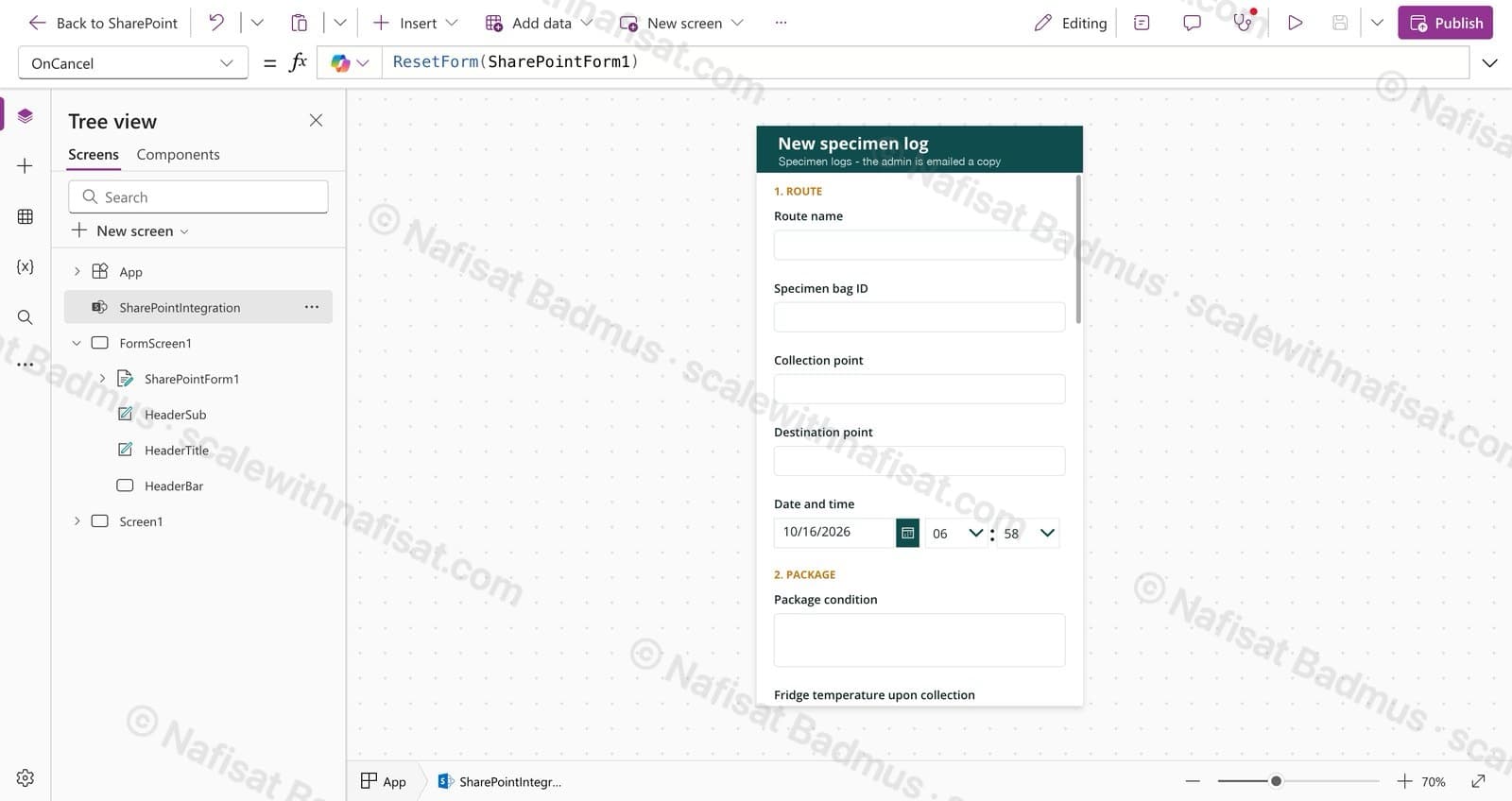
Specimen Collection Log
A mobile-friendly log for drivers moving medical specimens: one form on SharePoint, photo evidence, and an instant email to the admin for every handover.
Questions
Common questions
Do we need a premium licence for Power Automate?+
Often not. Flows that use standard connectors, such as SharePoint, Outlook, Teams, Forms and Approvals, are included in most Microsoft 365 business plans. Premium connectors, like SQL or other paid business systems, need a Power Automate Premium licence. I'll tell you before we start if anything you want needs one.
Can approvals happen inside Microsoft Teams?+
Yes. Approvers can approve or reject from Teams, Outlook or their phone, and the result is written back to SharePoint automatically.
What if the approver is away?+
Flows can send reminders, escalate to a manager after a set time, or route to a deputy, so requests don't stall.
Can you fix flows someone else built?+
Yes. I can review existing flows, fix failures, and document them so your team knows what each one does.
Can you work with us remotely?+
Yes. I'm based in Ibadan, Nigeria and work remotely with businesses worldwide. We meet on video calls and I build directly inside your Microsoft 365.
Free download · PDF
The Microsoft 365 Setup Checklist
9 steps to set up SharePoint, permissions and security properly, as a printable tick-box list. Starting fresh or tidying up years of “we'll sort it later”.
Further reading
- SharePoint Alerts Stopped Working? Here's How to Get Your Notifications BackMicrosoft retired SharePoint Alerts in 2026, so the “Alert me” emails your team relied on have gone quiet. Here's how to replace them with SharePoint Rules or Power Automate, from a two-minute fix to smarter notifications.
- 5 Signs Your Business Has Outgrown Shared Drives (and What to Do About It)Emailing files around, chasing approvals, retyping the same data? Five signs your business has outgrown shared drives and spreadsheets — and how Microsoft 365 fixes each one, fast.
- You're Paying for Microsoft 365. Here's What Setting It Up Properly Actually Looks LikeMost businesses use Outlook and Teams and leave the rest of Microsoft 365 untouched. A practical, nine-step checklist for setting it up properly — whether you're starting fresh or have been on it for years.
Ready to stop chasing approvals?
Book a free call. We'll look at what you have and what you need.
Book a free call